The Complete Beginner's Guide to Building AI Agents (The No-BS Version)
When I first tried building an Al agent, I spent three weeks reading documentation and watching YouTube tutorials.
The result? Zero working agents.
I was drowning in frameworks, paralyzed by choices, convinced I needed to master LangChain, AutoGen, and five other tools before writing a single line of code.
Then I realized: I was doing it backwards. The best builders I know start simple, ship fast, and learn by doing. So I threw out my 47-tab browser session and started over. Within a weekend, I had my first working agent. Within a month, I had five.
Here’s exactly how l’d do it if I was starting from scratch today
.
The Truth About AI Agents
Before we dive in, let’s drop the hype.
AI agents aren’t magical. They aren’t sentient. They won’t replace you.
They are simply code that takes an input, sends it through an LLM and produces an output (sometimes triggering actions).
Everything else is marketing designed to sell courses. The good news is that simplicity is your advantage. You can build something useful today.
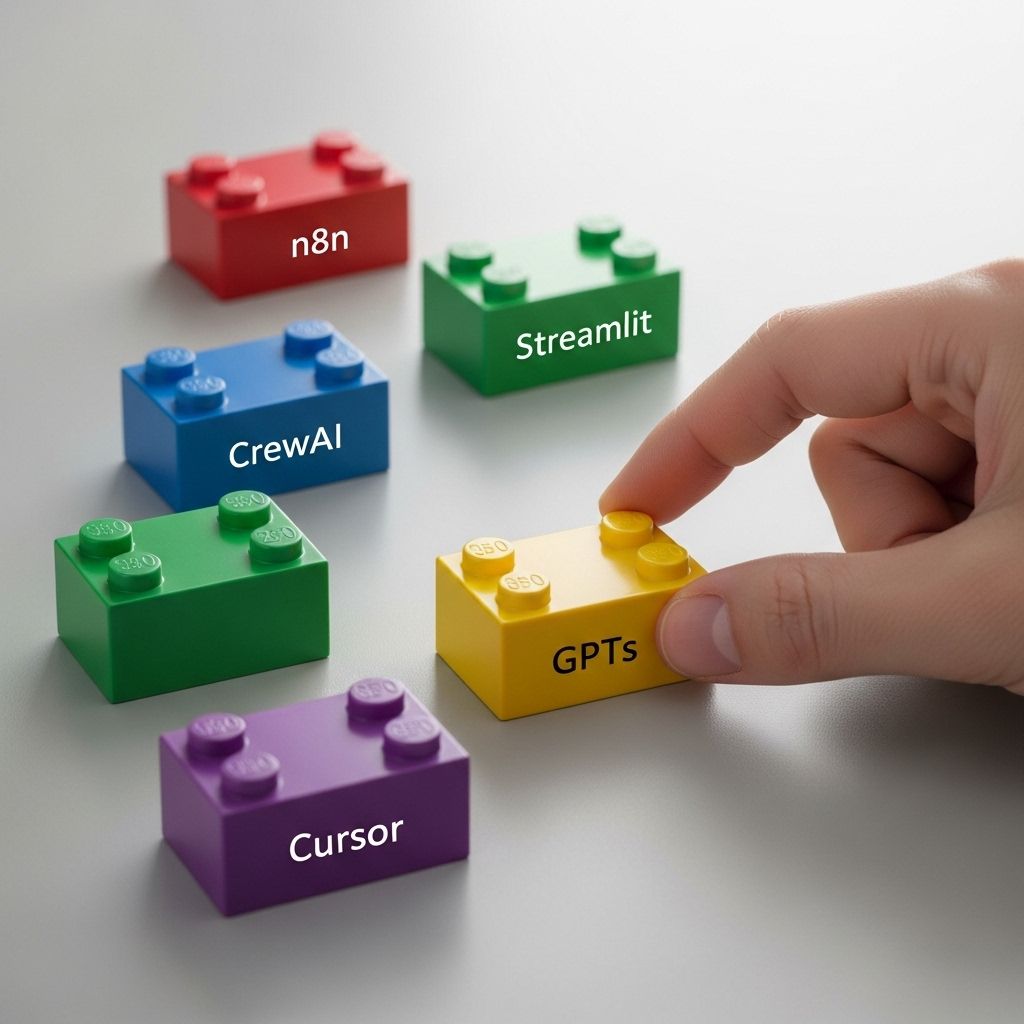
\
Step 1: Start With GPTs (Yes, Really)
I know what you’re thinking. “GPTs? That’s not real agent building!”
Wrong.
OpenAI’s GPTs are your training wheels. They handle the infrastructure, updates, and reliability while you learn the fundamentals: how to structure prompts, manage context, and think about agent behavior.
Start with something simple:
- A personal research assistant that summarizes articles
- A code reviewer that catches obvious bugs
- A meeting notes formatter
Focus on prompt engineering. Learn how to:
- Structure clear instructions
- Handle edge cases
- Chain prompts together
The goal isn’t to impress anyone. It’s to understand how AI agents think and respond. Mastering this is already 70% of what you need to know.
\
Step 2: Automate Everything with n8n
This is where things get interesting.
n8n is an open-source automation tool you can host yourself. Think of it as Zapier on steroids, but you own the data.
Your first n8n project is to build something that saves you 10 minutes a day.
For me, it was a workflow that:
- Scraped my favorite AI newsletters
- Filtered for topics I care about
- Summarized key points
- Posted to my personal Slack
Time invested: 2 hours. Time saved: Countless hours of doom-scrolling.
Here’s how to start:
-
Install n8n locally (Docker makes this painless)
-
Build a workflow that connects two services you already use
-
Add error handling
-
Schedule it to run automatically
\
Step 3: Level Up with Multi-Agent Systems (CrewAI)
This is where most tutorials get complicated. Not this one.
CrewAI is Python code that lets multiple agents work together. Think of it as a small team where each agent has a single task.
Here’s a simple multi-agent setup:
- Agent 1: The Researcher: Finds relevant information
- Agent 2: The Analyst: Processes and filters data
- Agent 3: The Writer: Creates the final output
Keep it simple. Start with two agents. You can add more later, but you probably won’t need to. I learned this the hard way after my first “10-agent masterpiece” crashed during a demo.
\
Step 4: 10x Your Speed with Cursor
Full disclosure: I’m not a 10x developer, but Cursor makes me feel like one.
It’s an IDE that codes with you, not for you. That distinction matters.
Here’s how I use it:
- Write a comment describing what I want
- Let Cursor suggest the implementation
- Tweak and test
- Move five times faster than coding alone
For example, building a CrewAI agent to analyze GitHub repos took me four hours with Cursor. Without it, it would have taken two days and 47 open Stack Overflow tabs.
\
Step 5: Ship It with Streamlit
Your agent is useless if nobody can use it.
Streamlit turns your Python scripts into web apps in minutes. No HTML. No CSS. No JavaScript headaches.
My first Streamlit app looked like this:
import streamlit as st user_input = st.text_input("What do you need help with?") if st.button("Get Answer"): # Your agent logic here st.write(response) That’s it. 5 lines of code for a working interface.
\
Step 6: The Mental Model That Changes Everything
After building a dozen agents, I realized this:
Every agent has just three parts:
- Input: What information comes in?
- Process: What happens to that information?
- Output: Where does the result go?
That’s all. From a basic chatbot to a complex research system, it’s always these three steps.
Stop overcomplicating it.
\
Step 7: Your First Real Project
Theory won’t help if you don’t build. Here’s a project you can complete this weekend:
The Daily Intelligence Agent
Input: RSS feeds from your favorite sources
Process:
- n8n scrapes the feeds
- CrewAI agents filter and rank by relevance
- GPT summarizes the top five
Output:
- Email digest
- Slack notification
- Streamlit dashboard
Tools you’ll need:
- n8n for orchestration
- GPT for summarization
- CrewAI for handling multiple sources
- Streamlit for the dashboard
- Cursor to code faster
Time to build: One weekend \n Value delivered: Hours saved every week
\
The Uncomfortable Truth
Most people reading this won’t build anything.
They’ll bookmark it, share it, maybe start installing tools. But they won’t ship.
Don’t be most people.
Pick one thing from this guide. Build it today. Not tomorrow. Today.
It will be messy. It might break. That’s fine.
Here’s what nobody tells you: the gap between someone who’s built one agent and someone who’s built zero is huge. The gap between one agent and ten is just repetition.
Next steps:
-
Today: Install n8n and build your first workflow
-
This week: Create a simple GPT-powered tool
-
This month: Ship a multi-agent system that solves a real problem
-
This quarter: Build a portfolio of agents, making your life easier
\
The tools are free. The knowledge is here. The only thing missing is you doing it.
So start.


추천 콘텐츠

Bitcoin (BTC) Hovers Above $77K Amid Iran Diplomacy and Rising Treasury Yields

Beyond Cleaning: What Else You Must Check Before Moving Out