TradingView is a powerful trading analysis tool that caters to users of all experience levels. MEXC has integrated TradingView's charting tools, allowing you to use them directly on the MEXCTradingView is a powerful trading analysis tool that caters to users of all experience levels. MEXC has integrated TradingView's charting tools, allowing you to use them directly on the MEXC
Learn/Trading Guide/Technical Indicators/How to Use ...iew on MEXC

How to Use TradingView on MEXC

Dec 11, 2025MEXC
0m
4
4$0.008282+0.98%
COMMON
COMMON$----%

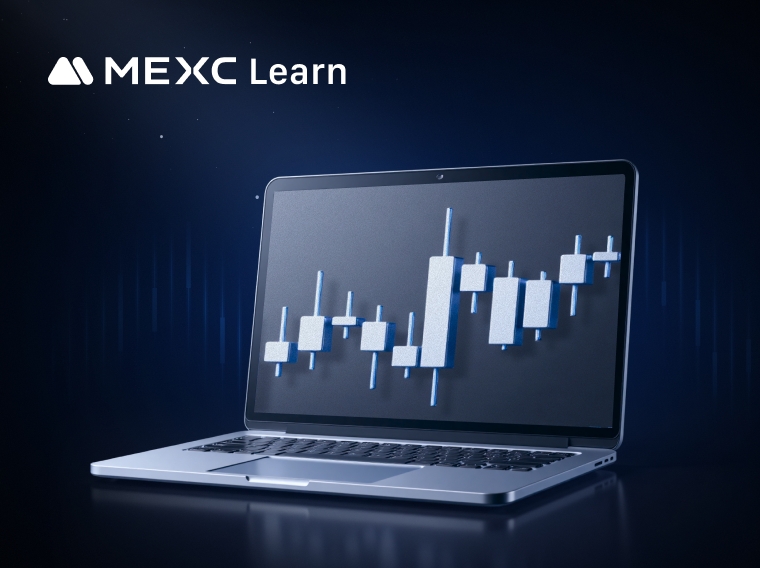
TradingView is a powerful trading analysis tool that caters to users of all experience levels. MEXC has integrated TradingView's charting tools, allowing you to use them directly on the MEXC platform.

How to Use TradingView on MEXC


We will demonstrate TradingView chart features using the spot trading page as an example. The setup for the futures trading page is identical to the spot trading page.

1. Setting Up the K-Line Chart


The K-line chart, also commonly referred to as the candlestick chart, typically defaults to solid green for rises and red for falls. In Japan and Korea, it often defaults to solid red for rises and blue for falls. By hovering your mouse over the K-line icon, you can see 8 different styles of K-line charts, and you can switch to the corresponding style of K-line chart by clicking on it.


Additionally, you can click the chart icon above the K-line chart to open the "Chart Settings" page. In the first section, indicated by a K-line icon, you can make more custom settings for candle colors, price line colors, time zone, and more.


2. Common Drawing Tools


On the left side of the chart, you will find commonly used drawing tools to help you analyze market trends. To use these drawing tools, click the corresponding icon on the left side, and then draw on the K-line chart. The process is simple and easy to use.


3. Using Technical Indicators


For more experienced traders, technical indicators are often used to analyze market trends. Click the technical indicators button above the K-line chart. In the "Indicators" list, scroll up and down or use the search function to find and add the technical indicators you need.


After adding a technical indicator, you can also adjust its parameters, style, and other settings according to your preferences. For example, to modify the Bollinger Bands (BB) indicator as shown in the image, click on the indicator on the K-line chart, then click the [⚙️] settings button at the top to open the BB indicator settings page. After making your adjustments, click [Ok] to save.

Additionally, you can click the eye icon to show or hide the technical indicator, or click the [X] icon to remove the indicator from the chart.


4. Time Zone Settings


To change the displayed time zone, simply click on the time zone information below the K-line chart. Changing the time zone will not affect the statistical values; it will only change the date and time.


5. Chart Settings


Earlier in the "Setting Up the K-Line Chart" section, we mentioned the chart settings. Click the chart icon above the K-line chart to open the "Chart Settings" page. The chart settings include four sections, listed from top to bottom: Candles, Symbol, Labels, and Chart Basic Styles.

  • Candles: Customize the candle colors, price line colors, precision, and time zone.
  • Symbol: Settings for the text information at the top of the K-line chart, including whether to display OHLC values, bar change values, and volume.
  • Labels: Offers various options to integrate labels into the chart, such as symbol name, high and low price, and countdown to bar close labels.
  • Chart Basic Styles: Customize the chart's background color, grid line color, and other settings.


6. How to Reset the Chart


If you want to remove any customizations you have made to the chart, right-click on the K-line chart and select [Reset chart view].


Disclaimer: This information does not provide advice on investment, taxation, legal, financial, accounting, consultation, or any other related services, nor does it constitute advice to purchase, sell, or hold any assets. MEXC Learn provides information for reference purposes only and does not constitute investment advice. Please ensure you fully understand the risks involved and exercise caution when investing. The platform is not responsible for users' investment decisions.

Market Opportunity
4 Logo
4 Price(4)
$0.008282
$0.008282$0.008282
+1.60%
USD
4 (4) Live Price Chart

Popular Articles

View More
Scott Bessent on U.S. Gold Reserves: Why America’s $1 Trillion Gold Question Matters

Scott Bessent on U.S. Gold Reserves: Why America’s $1 Trillion Gold Question Matters

Scott Bessent’s comments on U.S. gold reserves touched a market question that never really goes away: how much does America’s gold still matter in a dollar system that is no longer backed by gold?

MEXC Account Frozen? Withdrawal Limits & How to Fix Restricted Account Issues

MEXC Account Frozen? Withdrawal Limits & How to Fix Restricted Account Issues

Account freezing refers to the temporary blocking or restriction of a user's cryptocurrency trading account, preventing them from making transactions or withdrawing funds. The duration of a

Is XRP Going to Go Up? The Honest Answer No One Gives You

Is XRP Going to Go Up? The Honest Answer No One Gives You

Sooner or later, almost every XRP holder types the same question into a search bar: is XRP going to go up? Here's the honest problem with that question — anyone who answers it with a confident yes

Will XRP Replace SWIFT? Inside Ripple's 14% Bet Against the Banking Giant

Will XRP Replace SWIFT? Inside Ripple's 14% Bet Against the Banking Giant

Every time XRP makes headlines, the same debate resurfaces — can a cryptocurrency actually challenge the backbone of global banking? SWIFT has moved trillions of dollars across borders for decades,

Hot Crypto Updates

View More
Tesla vs SpaceX Which Company Has the Bigger AI Opportunity in 2026

Tesla vs SpaceX Which Company Has the Bigger AI Opportunity in 2026

Overview The market is comparing Tesla and SpaceX this summer for a concrete reason. On July 22, Tesla reported record quarterly revenue of $28.24 billion while its operating margin compressed to

Qualcomm Q2 2026 Earnings Preview What to Watch When QCOM Reports on July 29

Qualcomm Q2 2026 Earnings Preview What to Watch When QCOM Reports on July 29

Overview Qualcomm shares spiked after the 24 June investor day and then surrendered most of that gain within a month, drifting back toward 170 dollars by mid-July and leaving the stock roughly flat

BMNR Stock Explained What You Actually Own When You Buy BitMine Shares

BMNR Stock Explained What You Actually Own When You Buy BitMine Shares

Overview The 14 July filing put the company's dual identity in plain view: a quarterly revenue line up roughly 22 times year on year from staking, alongside about 9.1 billion dollars of nine-month

San Diego Padres vs Atlanta Braves Prediction: MLB Preview, Pitchers and Score

San Diego Padres vs Atlanta Braves Prediction: MLB Preview, Pitchers and Score

The San Diego Padres face the Atlanta Braves in the final game of their four-game series at Truist Park. The game begins on July 24, 2026, at 00:15 Singapore Time, corresponding to July 23 at 12:15

Trending News

View More
$1.4B Bitcoin Options Expire Today: 23,400 Contracts in Focus

$1.4B Bitcoin Options Expire Today: 23,400 Contracts in Focus

About 23,400 Bitcoin options contracts worth roughly $1. 4 billion are set to expire today, creating a focal point for traders monitoring short-term price volatility

Gold Holds Steady Above $4,100 as Weaker Dollar Offsets Fed Hawkishness and Iran Tensions

Gold Holds Steady Above $4,100 as Weaker Dollar Offsets Fed Hawkishness and Iran Tensions

BitcoinWorld Gold Holds Steady Above $4,100 as Weaker Dollar Offsets Fed Hawkishness and Iran Tensions Gold prices remained largely unchanged above the $4,100

Daily Market Update: Nasdaq Gains 1.3% and Bitcoin Recovers as AI Chip Demand Grows

Daily Market Update: Nasdaq Gains 1.3% and Bitcoin Recovers as AI Chip Demand Grows

TLDR Bitcoin rose 3.5% to nearly $64,000, finishing the week up 4.2% Ether, XRP, Dogecoin, and Solana all posted gains on Friday The Nasdaq led U.S. stocks higher

NordFX Morning Update — July 10, 2026

NordFX Morning Update — July 10, 2026

🌏 Asia: Chip stocks are roaring back — Nikkei 225 up ~2%, Kospi surging over 4% as SK Hynix’s Nasdaq debut looms today. Yen firmer on hopes GPIF shifts more into

Related Articles

View More
Analysis of Common Technical Indicators in the Cryptocurrency Market

Analysis of Common Technical Indicators in the Cryptocurrency Market

In crypto trading, technical indicator analysis refers to a quantitative method that uses mathematical and statistical formulas to assess market trends. By processing price and volume data through spe

What Is the Stochastic Indicator (KDJ)?

What Is the Stochastic Indicator (KDJ)?

The Stochastic Indicator (KDJ) is a technical analysis tool that analyzes price trends to assess market strength and identify overbought and oversold conditions, helping traders make buy and sell deci


What is Parabolic SAR?

What is Parabolic SAR?

The Parabolic SAR (Stop and Reverse) is a widely used technical analysis tool designed to determine the direction of price trends and identify potential reversal points. This indicator plots a series

What is an Ichimoku Cloud Chart?

What is an Ichimoku Cloud Chart?

The Ichimoku Cloud Chart is a technical analysis method that combines multiple technical indicators into one chart. It can display potential support and resistance areas, trend direction, and provides

Sign Up on MEXC
Sign Up & Receive Up to 10,000 USDT Bonus
Is Your Stablecoin Truly Safe?
Is Your Stablecoin Truly Safe?Is Your Stablecoin Truly Safe?
Know the risks of USDT, USDC, OpenUSD & USD1