How to check your NECO 2026 result online and via SMS
For candidates who sat for any 2026 National Examinations Council (NECO) examination, checking your result is one of the most important steps after the exam. This post will show you how to check NECO 2026 result without hassles.
Whether you are waiting on your BECE, SSCE Internal, NCEE, or National Gifted Examination result, NECO makes all results available through its official portal at results.neco.gov.ng as soon as they are released.
This guide walks you through how to purchase a token, check your NECO 2026 result online, check via SMS, and what to do if you run into any issues along the way.
What you need to check NECO 2026 result
To check your result online, you will need a smartphone or laptop with a stable internet connection, your NECO 2026 registration number, and a valid token.
To check via SMS, you will need a phone keypad or smartphone, the SIM card linked to your NECO registration, and a minimum of N50 airtime.
Note that NCEE and National Gifted Examination candidates do not need a token at all. The token requirement only applies to SSCE and BECE candidates.
How to purchase a NECO result checking token
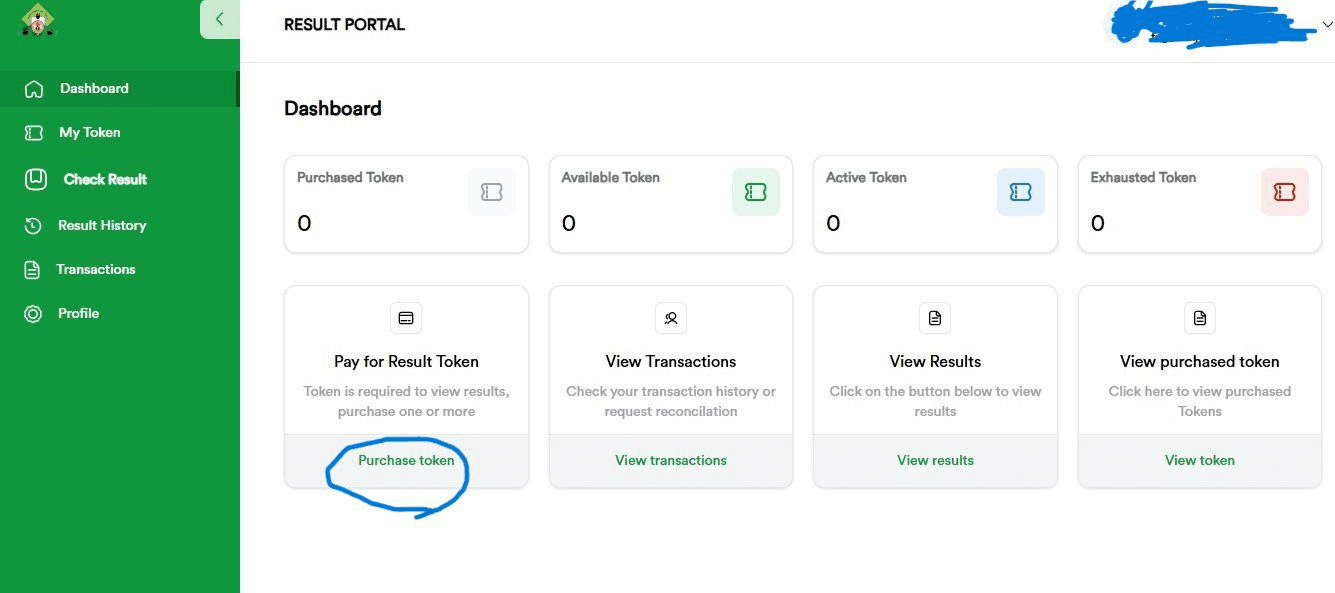
Before you can check your SSCE or BECE result, you need to purchase a token. The token serves as your personal access PIN for the result portal.
Step 1: Visit the official NECO results portal at results.neco.gov.ng.
Step 2: Create an account by providing your name, email address, and a password. If you already have an account, simply log in.
Step 3: Once logged in, click on “Purchase Token” from your dashboard.
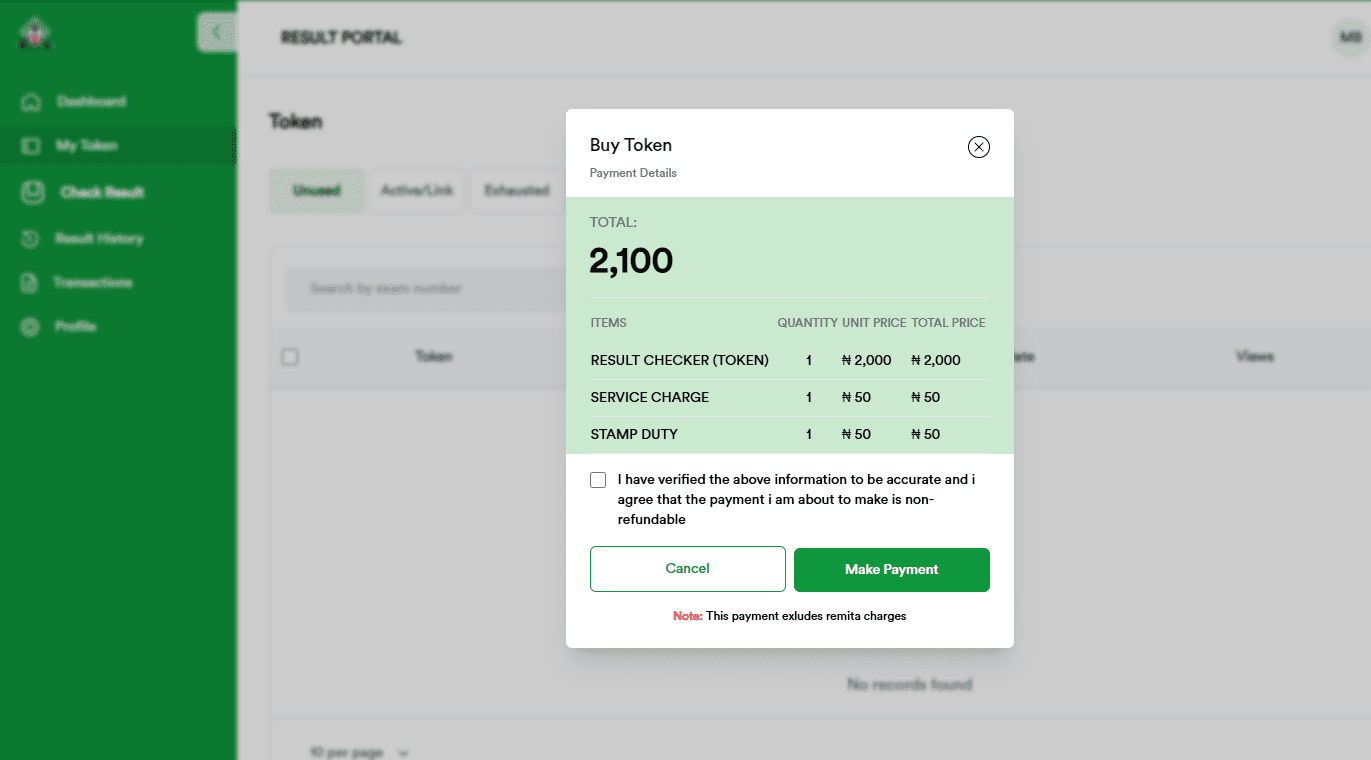
Step 4: Complete the payment using any available payment method. Each token costs N2100 as of April 2026 and can only be used once to check a single result.
After a successful payment, your token will appear under the “My Tokens” section of your account. You can share tokens with parents, guardians, schools, or organisations that need to view your result.
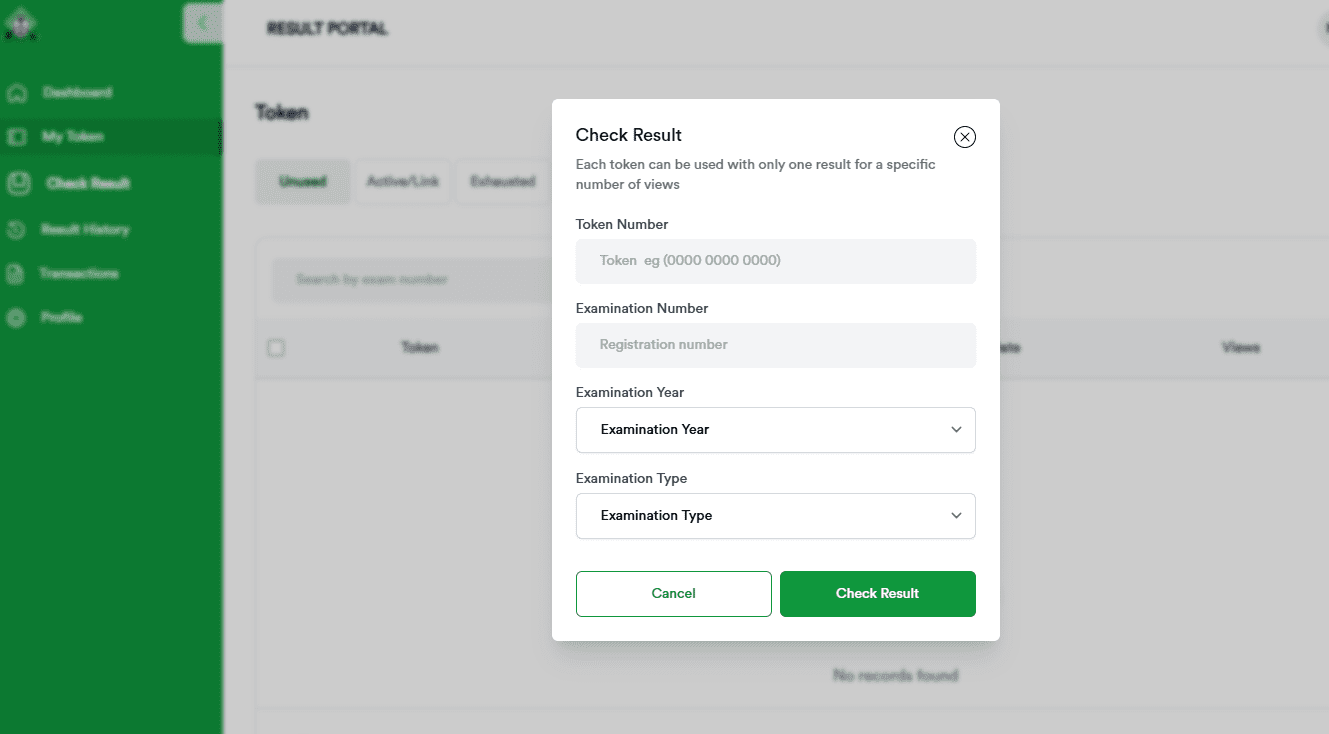
How to check NECO 2026 result online
Step 1: Go to results.neco.gov.ng on any internet-enabled device.
Step 2: Click on “Check Result.”
Step 3: Select your examination year, 2026, from the dropdown menu.
Step 4: Select your examination type. Options include SSCE Internal, SSCE External, BECE, NCEE, and National Gifted Examination. Select the one that applies to you.
Step 5: Enter your token. If you are checking NCEE or National Gifted Examination results, skip this field.
Step 6: Enter your registration number exactly as it appears on your exam slip.
Step 7: Click “Check My Result.” Your result will load on the next page. Take a screenshot or print it for your records.
How to check NECO 2026 result via SMS
If you do not have internet access, you can still check your result via SMS. You can purchase tokens from local vendors who sell them offline.
Step 1: Open the messaging app on your phone.
Step 2: Type your details in this exact format: NECOExamNumberToken*ExamYear, with no spaces.
Step 3: Send the message to 32327 using the phone number linked to your NECO registration. A service charge of N50 will be deducted.
For example, if your exam number is 12345678AB, your token is 686442341122, and the year is 2026, your message should read: NECO12345678AB686442341122*2026, sent to 32327.
You will receive your result via SMS within minutes, depending on network conditions.

2026 NECO examination schedule
Before checking, confirm that results for your exam type have actually been released. The BECE ran from April 20 to April 30, 2026. The National Gifted Examination holds May 23, 2026. The NCEE is scheduled for June 6, 2026.
The SSCE Internal begins June 23, 2026. It is also worth noting that the federal government has directed that all 2026 NECO examinations be fully computer-based.
Common website errors and how to fix them
Load error: This usually happens when too many candidates are accessing the portal at the same time. Try switching to a different browser, or check at midnight when traffic is lower.
“Result not found”: First, recheck your registration number and exam year for any typos. If the details are correct and the error persists, your result may not have been released yet for your exam type. Check back later.
“Result withheld”: This means NECO has flagged your result for investigation. Log in to your account and raise a support ticket, or reach out to your school for guidance.
“Invalid token”: Double-check that you entered your token correctly. Head to the “My Tokens” section of your account to confirm. If the problem continues, contact the vendor you purchased from or email [email protected].
Similar read: NECO releases 2025 SSCE results with 60.2% pass rate


You May Also Like
British Pound Holds Below 1.3400 as Iran Tensions Rise, Traders Eye US CPI

XRP News: Ripple CTO Raises Concerns Over ‘No-Freeze’ Stablecoins

South Korea’s DAXA and VASPs Uncover 12 Illegal Crypto Operators Charging Up to 62x in Fees