

LuxAlgo vs. Bookmap vs. GoCharting vs. ATAS — Indicators vs. Order Flow: A Side-by-Side Test
The order flow vs indicators debate has a real answer, and it is not the one most retail traders want to hear: they are not substitutes. Indicators derive from price and volume data that have already happened. Order flow tools show the actual mechanics behind why prices move the resting limit orders, the aggressive buying and selling, and the institutional footprint. This comparison puts LuxAlgo, the indicator-based heavyweight, side by side with Bookmap vs LuxAlgo in the order flow lane, plus GoCharting and ATAS to round out the full picture. Each platform approaches market analysis differently, and the best order flow tool depends entirely on how you trade.
Comparison Table
LuxAlgo
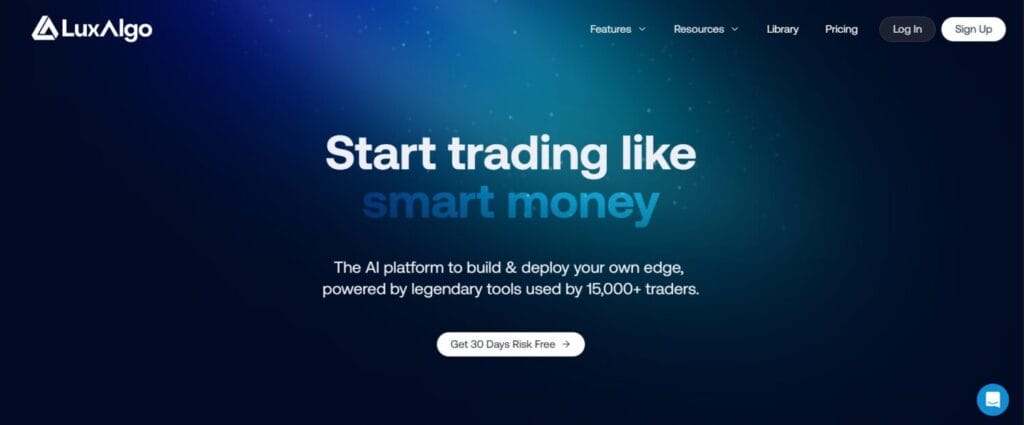
LuxAlgo is the only indicator-based platform in this comparison. That distinction matters because everything it does — signals, overlays, pattern recognition, backtesting is derived from processed price and volume data rendered as visual tools on TradingView charts. There is no live order book, no market depth, no tick-by-tick trade analysis. What LuxAlgo offers instead is a deeply developed toolkit for traders who want AI-assisted technical analysis without learning a new platform or leaving TradingView.
Its three core toolsets cover most of what a chart-based trader needs. Price Action Concepts automates Smart Money Concepts, including order blocks, fair value gaps, and liquidity sweeps. Signals & Overlays delivers directional buy and sell signals across any asset or timeframe. Oscillator Matrix handles momentum, trend, and reversal confluence from a single panel. On top of that, LuxAlgo Quant generates Pine Script code from natural-language prompts, and the AI Backtesting Assistant optimises strategies without manual parameter tuning. For traders who do not need to see the live order book and whose edge comes from price structure rather than microstructure, LuxAlgo is a clean, well-supported solution. Pricing starts at $39.99 per month for Premium and $59.99 for Ultimate.
Key Features:
- Price Action Concepts (PAC) — Automates Smart Money Concepts on TradingView charts, detecting order blocks, fair value gaps, liquidity zones, and structural breaks without any manual drawing.
- Signals & Overlays — Real-time directional signals and visual overlays across stocks, crypto, and forex with fully customizable alert conditions for hands-free monitoring.
- LuxAlgo Quant — AI coding agent that turns natural-language strategy descriptions and chart screenshots into deployable Pine Script v6 indicators and strategies.
Bookmap

Bookmap is the gold standard for live order book visualisation. Where indicator platforms show what price has done, Bookmap shows what the market is about to face the walls of resting limit orders, the zones where liquidity is accumulating or disappearing, and the live heatmap of institutional positioning. The platform’s heatmap updates at 40 frames per second using colour gradients that shift from dark to bright as liquidity concentrates at a price level, making it possible to see a massive sell wall forming before the price ever reaches it.
In any serious Bookmap vs LuxAlgo comparison, the two tools are not competing for the same trader. Bookmap is built for futures scalpers and day traders who base their decisions on market microstructure — watching how large orders interact with price in real time. Its iceberg order detector identifies hidden institutional positions being executed in small tranches. The Cumulative Volume Delta (CVD) tool measures net buying versus selling pressure to confirm whether price moves are genuinely supported by aggressive participation or merely floating on thin volume. The DOM Pro add-on overlays historical order queue data on the live book for even deeper institutional activity analysis. Bookmap runs on Windows only and requires separate data feed subscriptions. Pricing tiers start at a free Digital plan, $49 per month for Global, and $99 per month for Global+.
Key Features:
- Liquidity Heatmap (40fps) — Real-time visualisation of the full limit order book rendered as a colour-coded heatmap updating at 40 frames per second, showing where large resting orders are placed and removed before execution.
- Iceberg Order Detection — Identifies large institutional orders that are deliberately broken into smaller tranches to disguise their true size, revealing hidden smart money positioning that standard charts cannot show.
- Cumulative Volume Delta (CVD) — Tracks the running net difference between aggressive buying and selling volume to confirm whether price moves are supported by genuine market participation or at risk of reversal.
GoCharting

GoCharting occupies a genuinely unique position in this comparison. It is the only fully web-based platform that delivers real institutional-grade order flow tools, footprint charts, Market Profile, cumulative delta, heatmaps — entirely in a browser, with no software installation required. That alone separates it from Bookmap and ATAS, which are Windows-only desktop applications. Mac users, Chromebook users, and traders who do not want to manage desktop software installations can access the same class of order flow analysis through any modern browser.
In a GoCharting vs ATAS comparison, GoCharting wins on accessibility and multi-asset breadth while ATAS wins on raw depth and professional-grade customisation. GoCharting is particularly strong for crypto and Indian market traders — it connects to NSE, BSE, Binance, Bybit, and other exchanges, with dedicated options flow tools for Indian derivatives traders. Its Orderflows Trader integration adds 21 proprietary order flow indicators including exhaustion prints, absorption zones, and delta ratio analysis. The platform supports footprint charts in Bid x Ask, Delta, Total Volume, and Imbalance display modes, plus Market Profile with automatic Value Area and Point of Control identification. For traders who need order flow without being locked into a Windows machine, GoCharting is the most accessible serious option available.
Key Features:
- Browser-Based Footprint Charts — Fully interactive cluster charts built in HTML5 Canvas supporting Bid x Ask, Delta, Total Volume, and Imbalance display modes, accessible from any device without software installation.
- Market Profile (TPO) — Automatic TPO profile generation identifying Value Area High, Value Area Low, Point of Control, single prints, and poor highs and lows across individual and composite sessions.
- Orderflows Trader Integration — 21 proprietary order flow indicators, including exhaustion prints, absorption patterns, delta ratio analysis, and extreme delta signals accessible directly within the GoCharting interface.
ATAS

ATAS (Advanced Trading Analytical Software) is the most comprehensive order-flow platform in this comparison. While Bookmap is known for heatmap visualisation and GoCharting for browser accessibility, ATAS is built around a single obsession: showing traders everything that happens inside every candle. Its footprint chart system offers over 400 display variants — from Bid x Ask numerical clusters to heatmap-colored profiles to delta-dominated visualisations — giving traders more ways to dissect market microstructure than any other retail-accessible platform.
In any serious ATAS review, the depth becomes both its biggest strength and its steepest barrier. The platform includes over 300 built-in indicators, 70+ volume-specific tools, Smart DOM with historical order book analysis, Smart Tape for time and sales filtering, Cluster Search for automated detection of unusual volume activity, and HFT algorithm detection. Market Replay lets traders practice reading order flow on historical sessions as if they were live, which is one of the best training tools available at the retail level. ATAS connects to 25+ exchanges and brokers via CQG, Rithmic, TT, and IQfeed. Pricing starts at a free tier with limited features, $24.95 per month for Plus, and higher for Pro and Ultra. The Windows-only platform often freezes under heavy load, and the learning curve runs one month or longer to master.
Key Features:
- 400+ Footprint Chart Variants — The most extensive cluster chart customisation available at the retail level, from numerical Bid x Ask grids to heatmap-colored profiles, delta-dominated views, and hybrid display modes for any analytical preference.
- Smart Tape — A filtered time and sales feed that cuts through low-significance prints to surface large institutional trades, absorption events, and aggressive directional activity in real time.
- Cluster Search — Automated indicator that detects and highlights clusters matching user-defined criteria by volume, delta, or trade count, surfacing areas of atypical institutional activity without manual chart scanning.
Conclusion
The order flow vs indicators question does not have one winner — it has four different answers depending on how you trade. LuxAlgo is the right call for chart-based traders who want AI-enhanced technical analysis inside TradingView without touching market microstructure. Bookmap vs LuxAlgo is a false competition: Bookmap serves scalpers who read live institutional liquidity, while LuxAlgo serves pattern and structure traders. GoCharting is the best order flow tool for 2026 for traders who need footprint and Market Profile without a Windows machine. ATAS is for the serious professional who wants every layer of market microstructure and is willing to spend a month learning the platform to access it.
Frequently Asked Questions (FAQs)
What is the difference between order flow and indicators?
Indicators are mathematical calculations derived from historical price and volume data. Order flow tools show the live mechanics driving price — resting limit orders, aggressive trades, and institutional footprints — revealing market intent before it appears on standard charts.
Is Bookmap better than LuxAlgo for day trading?
They serve different purposes. Bookmap shows the live order book for scalpers and microstructure traders. LuxAlgo provides AI-powered indicator analysis for chart-based traders. Neither replaces the other — the right choice depends on whether your edge comes from price structure or market microstructure.
Can GoCharting replace Bookmap or ATAS?
For crypto and Indian market traders, GoCharting covers most of what Bookmap and ATAS offer in a browser without Windows dependency. For professional US futures traders needing the highest quality CME tick data, desktop platforms like ATAS and Bookmap with Rithmic feeds still have an edge.
How long does it take to learn ATAS?
Most experienced traders report needing one month or more to use ATAS effectively. The platform has over 300 indicators and 400+ footprint variants. The free tier and Market Replay feature make it possible to practice reading order flow before committing to a paid plan.
Which platform is best for beginners interested in order flow?
GoCharting is the most accessible starting point — browser-based, with a free tier, clean UI, and a solid footprint chart and Market Profile implementation. LuxAlgo is the better starting point for traders who want to learn technical analysis before advancing to order flow tools.


You May Also Like
Why Goldman Sachs Prefers Tech Giants Over Semiconductor Stocks for AI Exposure
Cardano’s Hoskinson Shouts Out Ripple and XRP Army: Here’s Why
