Gran Turismo 7 - How to Save & Upload Race Clips/Replays to YouTube
Step-by-step tutorial for uploading GT7 races to YouTube
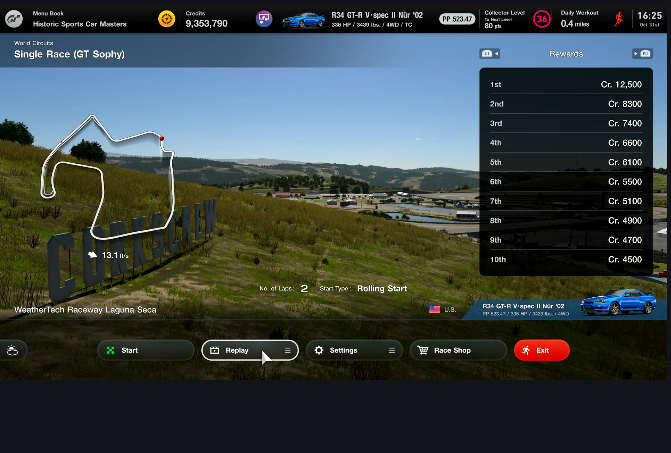
\ Step 1 - After a race, before you exit, select the Replay button.
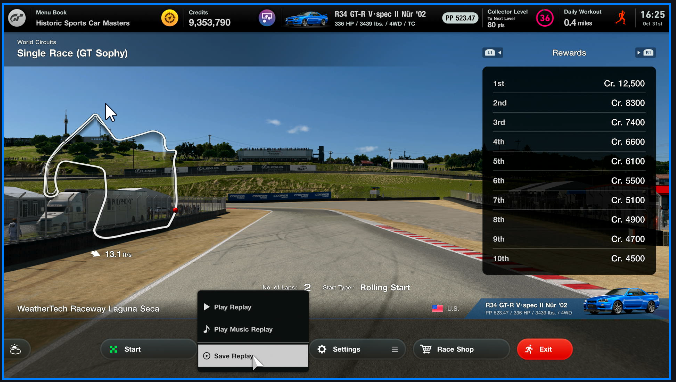
\  \n \n Step 2 - Select Save Replay. \n
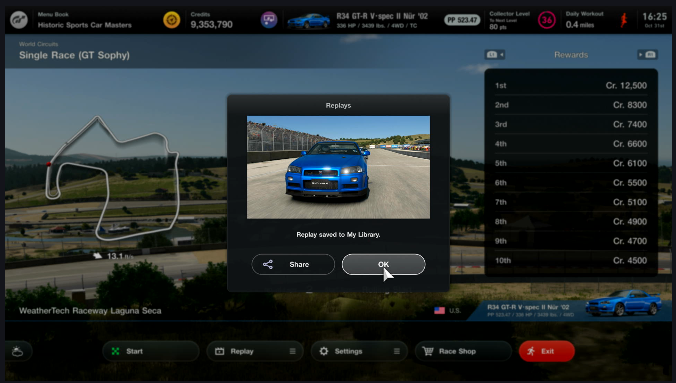
  \n \n Step 3 - Click OK to confirm the save. \n
 \n
\n
Step 4 - The video is saved to My Library under My Items. \n \n 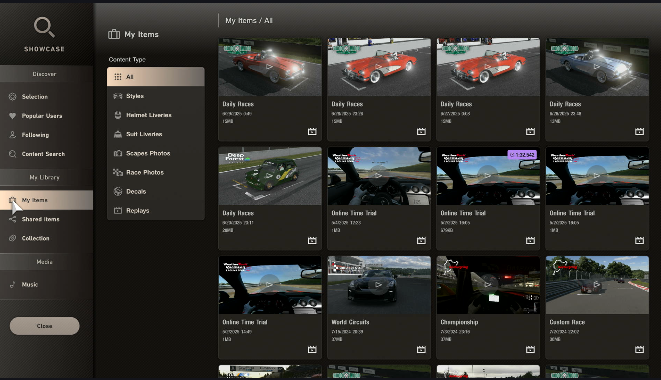 \n \n \n \n Step 5 - Select the race you want to record and click View. \n \n
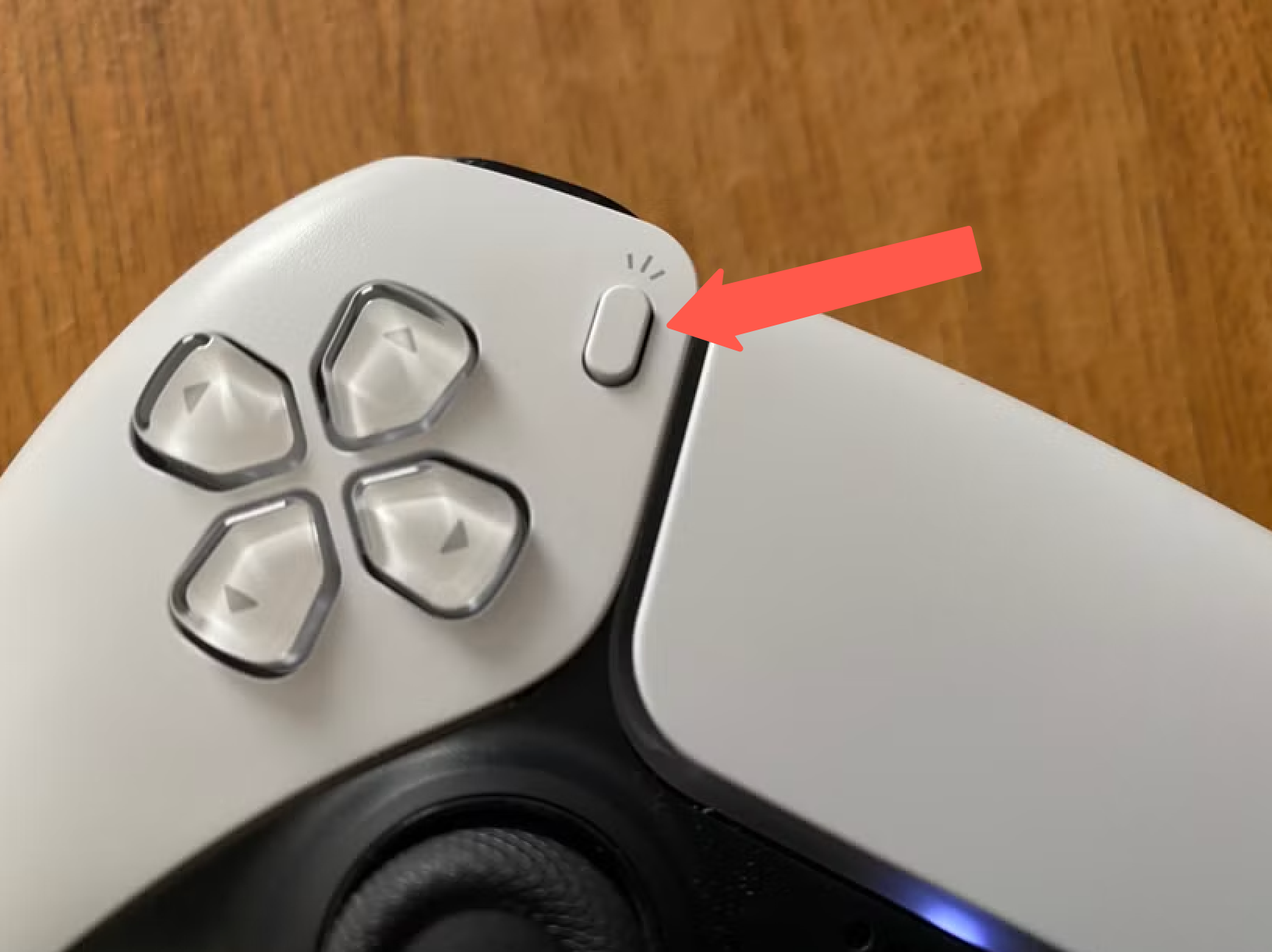
 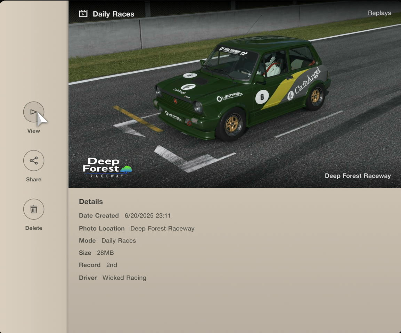 \n \n \n Step 6 - Click the Record button on your controller. \n \n
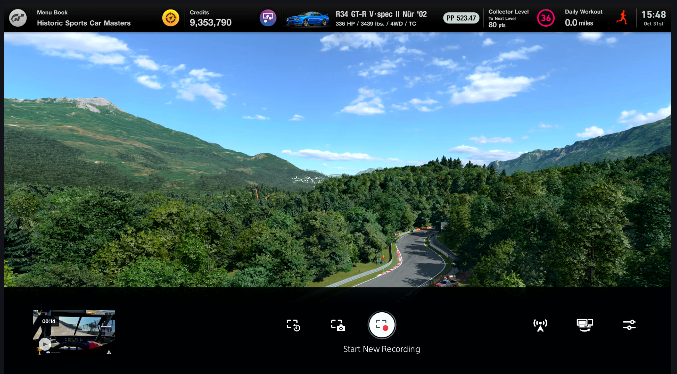
  \n \n \n Step 7 -Select “Start New Recording" on the camera page. \n \n
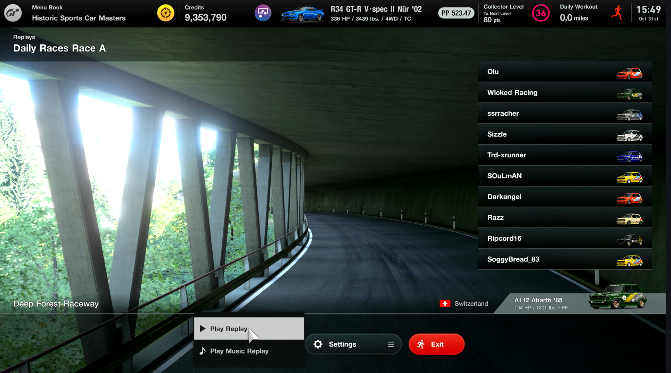
  \n \n Step 8 - Select Play Replay
 \n Step 9 - Position the camera for the best angle of the incident you are recording.
\ When I’m driving, I use the in-cockpit view, but for replays and incident analysis, the rear camera view is the best for seeing what the cars around you are doing. \n \n \n 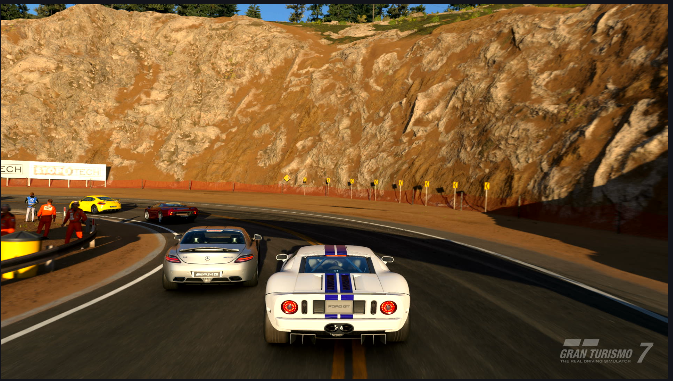 \n \n \n Step 9.A - When the race is over or when you are done recording, press the Record button on your controller to bring up the camera page. Select Stop Recording. \n \n
 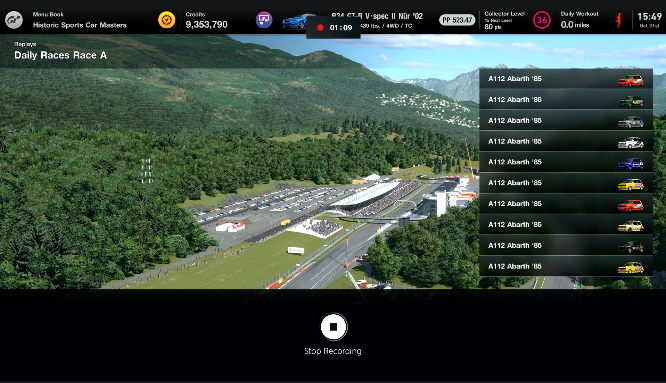 \n \n \n Step 9.B -The captured video is saved to your PS5’s Media Library \n \n
 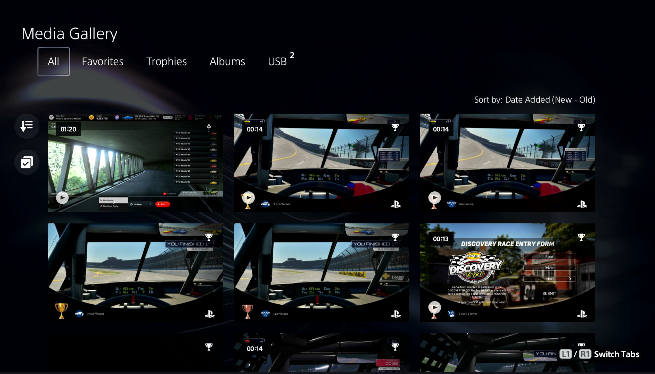 \n \n Step 10 - Find the video you want to upload to YouTube by clicking the Share button. \n \n
 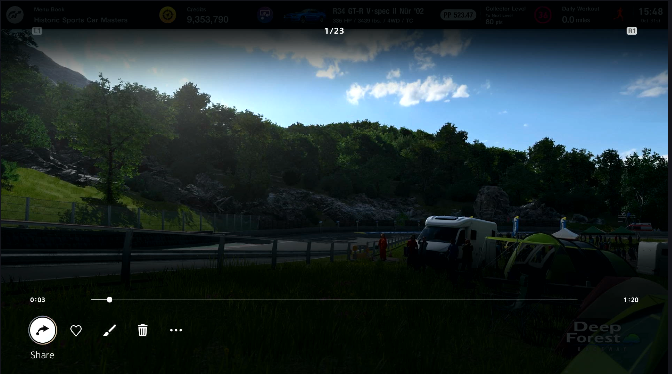 \n \n Step 11 -Select YouTube. \n \n
 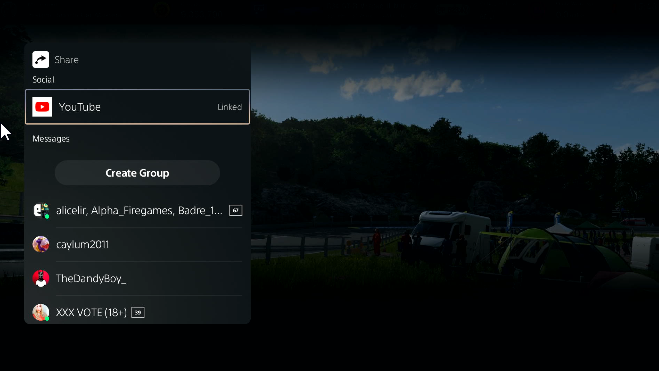 \n \n \n Step 12 -You can edit the title and descriptions here, or make any other changes on YouTube. \n \n
 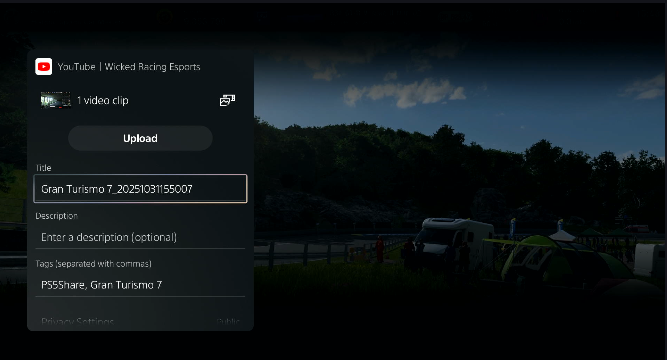 \n \n \n You can use the video editor in YouTube Studio to trim or edit your video as needed.
Troubleshooting \n
| Issue | Fix | |----|----| | Default 1080p quality | Go to PS5 Settings > Captures and Broadcasts > Capture Settings > Set to 4K (requires 4K TV/monitor). Replays look sharper at 120fps on PS5 Pro. | | Storage full (can't save replay) | Clear old clips in the Media Gallery or connect a USB drive to export. | | Edit/trim clips | Use the free ShareFactory app (PS Store) for basic cuts, or YouTube Studio post-upload. | | YouTube upload fails | Link accounts first |
\n \n Step 13 - Upload your racing incidents to thesimracingstewards.com for community-driven sim racing analysis!


You May Also Like

Taiko ERC20 Vault Exploit Leads to Estimated $1 Million Loss, Blockaid Reports

Bitcoin Prediction From February Comes Back Into Focus As BTC Trades Near $65K Zone
Yamal opens World Cup account in style as Spain thrash Saudi Arabia 4-0 to top group