

5 ways to maximise your mobile data budget for Detty December
Detty December, an anticipated period across the festive season, comes with holidays that provide ample time to catch up on old times and calm your nerves. It also presents a challenge: you often spend more than you ever budgeted.
While Detty December gives you more time on your devices, it also means you spend more on data than your plan allows. This then tends to implicate your savings and hinders other plans.
However, here’s the good news. During Detty December, there’s a way to maximise your data usage and still stay within your projected budget. This article provides easy-to-follow tips to help you conserve data while saving money.
Here are 5 ways to maximise your mobile data budget for Detty December
1. Update apps over Wi-Fi only
The surest way to manage your mobile data budget for Detty December is to set your mobile device to update apps over Wi-Fi only. If you have your apps set to update automatically, they may be draining your data over a cellular network, and most of these apps update without your knowledge.
To set app update to Wi-Fi only:
On iOS, go to Settings > App Store > scroll to “Cellular Data” and toggle “Automatic Downloads” to the off position.
On Android, open the Play Store App and tap Menu > Settings > General Settings > Network Preferences > then select “Auto-update apps over Wi-Fi only.”

2. Disable app data in the background
Most of the time, some of your apps gather data in the background while you’re not using your phone. This occurs for apps such as X, SofaSore, or a new app for which you turn on notifications for updates. You need to adjust this to maximise your mobile data usage during the detty December season.
To turn this feature off for your apps on iOS, go to Settings > General > Background App Refresh. Here, you can choose whether to keep this feature, turn it off, or use WiFi-only.
On Android, go to Settings > Data Usage to see which apps are using the most data. Tap the app you’d like to restrict and disable background data.
Also Read: All you should know about Nigeria’s internet: Why it works and why sometimes it doesn’t.
3. Using Wi-Fi whenever possible
Connecting to Wi-Fi networks can reduce your cellular data usage and maximise your browsing experience in Detty December. This is essential when you want to stream videos or watch live events.
Ensure your Wi-Fi is turned on, and you are connected to an available network.
Meanwhile, precautions are necessary when connecting to public Wi-Fi, especially in crowded places like libraries or tech workspaces. To avoid having your data compromised, ensure you use a trusted public Wi-Fi. Ensure you always use a VPN, avoid sensitive transactions on public Wi-Fi and disable auto-connect and file-sharing features.

4. Monitor and limit monthly data usage (Android)
As the Detty December period comes with holidays, providing more time for social media engagement, another way to maximise your data usage is by setting data limits. While this might come with extra self-discipline, the limit gives you proactive control over your Detty December budget.
The data limit feature often works in conjunction with “Data Saver” modes to restrict non-essential apps from using data in the background.
Your mobile device typically provides a data warning before you reach the hard limit. This warning lets you manually adjust your usage habits or find a Wi-Fi connection before data is cut off completely.
To set your data limit, go to Settings > Network & internet > Data usage > Data warning & limit (or Data limit & billing cycle) to set your maximum amount of data you want to use for the month.
For iOS
While setting a data limit is impossible on Apple devices, you’ll need to keep an eye on your data usage in your device’s settings.
To see how much cellular data you’ve used, go to Settings > Cellular or Settings > Mobile Data. (On an iPad, it may be Settings > Cellular Data). You can also reset your data usage for the “Current Period” every month so you know how much you’re using each billing cycle.
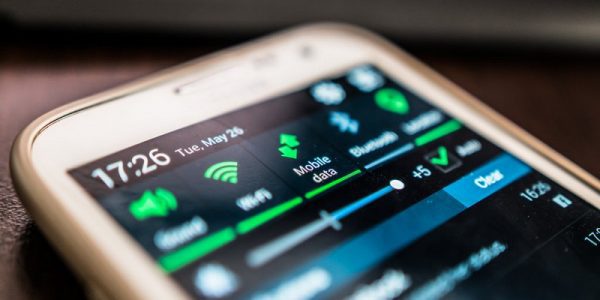
5. Disable auto-play videos and auto downloads
Messaging applications always auto-play videos, and often auto-download them, thereby causing your data to deplete faster. To maximise data usage in Detty December, you need to adjust this feature in your social media platform/app settings.
Facebook: Open the Facebook app > Menu > Settings & Privacy > Settings > Preferences > Media > Find the Autoplay section and select Never Autoplay Videos. You can also choose to autoplay only on Wi-Fi if you prefer.
WhatsApp: Open WhatsApp > tap the three-dot menu icon > Settings > Select Storage and data > Media auto-download > tap on each option: “When using mobile data”, “When connected on Wi-Fi”, and “When roaming”. In the pop-up for each option, uncheck all media types (Photos, Audio, Videos, Documents) and tap OK.)
X: Settings and privacy > Accessibility, display, and languages > Data usage and select Never under “Autoplay”.
Instagram: Go to your profile, tap the three lines in the top-right corner, and select “Settings and privacy”. Navigate to “Media quality” under “Your app and media” and enable the “Use less cellular data” or “Data Saver” option.
Importantly, enabling data saver mode automatically turns off auto-play when you’re using a cellular network.

On the other hand, you can consider options for an all-encompassing data package. For instance, there’s an MTN monthly plan that offers a certain midnight data for YouTube streams. Since Detty December comes with free days, you can also consider subscribing to night plans to stream movies.
Also Read: Here are 7 habits that compromise your personal and data safety online.


You May Also Like

Vance blindsides church he's never visited by plastering it on cover of his faith memoir

355.19 BTC Moved Between Anonymous Wallets




