If you're searching for a Trezor support number, contact details, or ways to reach the official Trezor support team — whether for troubleshooting issues, accountIf you're searching for a Trezor support number, contact details, or ways to reach the official Trezor support team — whether for troubleshooting issues, account

Trezor Support Number: How to Contact Trezor

2025/12/11 21:30

If you're searching for a Trezor support number, contact details, or ways to reach the official Trezor support team — whether for troubleshooting issues, account queries, or help with your hardware wallet — you’ve come to the right place.

Trezor is one of the most popular hardware wallets used for securely storing cryptocurrencies like Bitcoin, Ethereum, and many other digital assets. The company places a lot of emphasis on secure, non-custodial storage — but when it comes to customer support, not all users know how to contact Trezor directly. This guide breaks down the most current and accurate contact options currently available.

Does Trezor Have a Support Phone Number?

According to multiple customer service listings and support guides:

  • Trezor does not offer an official customer support phone number as part of its standard support channels. Customers are generally directed to online support instead.

Some third-party sites list phone numbers claiming to be Trezor support, but these are not verified official contacts from Trezor itself and should be treated with caution.

Overall, if you’re searching specifically for a “Trezor support number,” the official stance is that a public customer service phone line isn’t provided by Trezor.

How to Contact Trezor Support (Official Methods)

Even though Trezor doesn’t provide a standardized support phone number for general users, the company offers multiple legitimate ways to get help:

 1. Trezor Support Website

The primary way to interact with the Trezor support team is through their official support portal:

Trezor Support Center: https://trezor.io/support/ Here you can browse help articles or start the support process.

2. Email Contact

Trezor’s official email for support inquiries — used when submitting tickets via their portal — includes:

Note: Some users online have reported email issues where replies from support addresses can be blocked or bounce due to spam filtering — so ensure your email settings allow messages from the @trezor.io domain.

 3. Support Chat / Ticket System

On the official support page you’ll often see a chat icon or chatbot that allows you to describe your issue and generate a support ticket. This is typically the starting point for contacting the support team.

4. Community Support

Trezor also has community forums and discussions where many users share solutions and troubleshooting tips — especially useful for common issues.

Tips for Contacting Trezor Support Successfully

When reaching out to Trezor support (especially via email or support ticket), provide the following to get help faster:

  • Device model: Trezor One, Model T, etc.

  • Firmware version (if known)

  • Operating system / environment

  • Clear description of the problem

  • Screenshots or error messages

Including these details helps the support team diagnose your issue more effectively.

Beware of Scams and Phishing Attempts

Some users have reported phishing emails claiming to be from Trezor or scam communications related to device support. Always:

  • Never share your recovery seed or private keys.

  • Confirm that any emails or links genuinely originate from trezor.io.

  • When in doubt, go through the official support portal instead of responding directly to unsolicited messages.

Frequently Asked Questions (FAQs)

What is the official Trezor support number?

Trezor does not provide an official customer support phone number — support is handled via email, support portal, and community resources.

How can I contact Trezor support by email?

You can submit a ticket via the Trezor support page or email [email protected] or [email protected] depending on your issue.

Does Trezor offer live chat support?

The official support portal commonly includes a chatbot that can help initiate conversations and route you to help articles or team tickets.

What should I do if I can’t reply to Trezor support emails?

Check your email spam/junk filters and ensure @trezor.io is allowed. If replies continue to bounce, open a new ticket using a different email address or via the support portal.

Disclaimer: The articles reposted on this site are sourced from public platforms and are provided for informational purposes only. They do not necessarily reflect the views of MEXC. All rights remain with the original authors. If you believe any content infringes on third-party rights, please contact [email protected] for removal. MEXC makes no guarantees regarding the accuracy, completeness, or timeliness of the content and is not responsible for any actions taken based on the information provided. The content does not constitute financial, legal, or other professional advice, nor should it be considered a recommendation or endorsement by MEXC.

You May Also Like

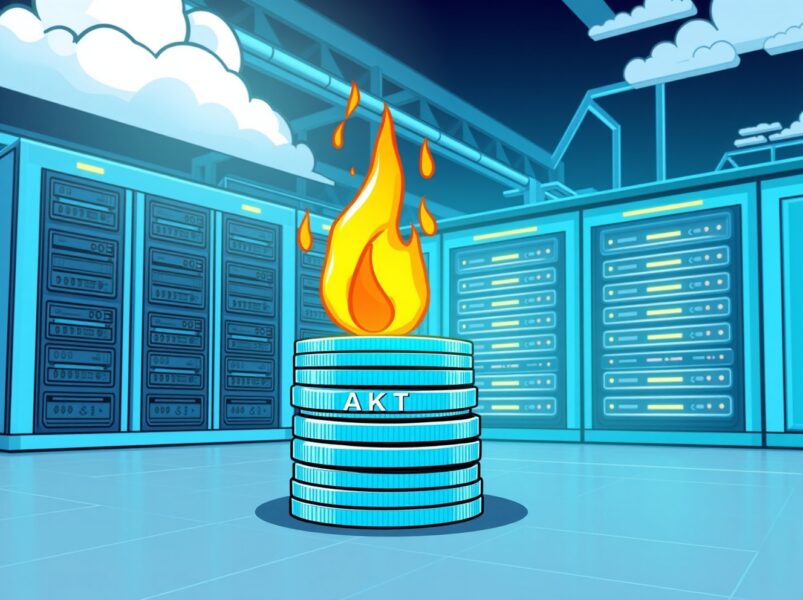
Akash Network’s Strategic Move: A Crucial Burn for AKT’s Future

Akash Network’s Strategic Move: A Crucial Burn for AKT’s Future

BitcoinWorld Akash Network’s Strategic Move: A Crucial Burn for AKT’s Future In the dynamic world of decentralized computing, exciting developments are constantly shaping the future. Today, all eyes are on Akash Network, the innovative supercloud project, as it proposes a significant change to its tokenomics. This move aims to strengthen the value of its native token, AKT, and further solidify its position in the competitive blockchain space. The community is buzzing about a newly submitted governance proposal that could introduce a game-changing Burn Mint Equilibrium (BME) model. What is the Burn Mint Equilibrium (BME) for Akash Network? The core of this proposal revolves around a concept called Burn Mint Equilibrium, or BME. Essentially, this model is designed to create a balance in the token’s circulating supply by systematically removing a portion of tokens from existence. For Akash Network, this means burning an amount of AKT that is equivalent to the U.S. dollar value of fees paid by network users. Fee Conversion: When users pay for cloud services on the Akash Network, these fees are typically collected in various cryptocurrencies or stablecoins. AKT Equivalence: The proposal suggests converting the U.S. dollar value of these collected fees into an equivalent amount of AKT. Token Burn: This calculated amount of AKT would then be permanently removed from circulation, or ‘burned’. This mechanism creates a direct link between network utility and token supply reduction. As more users utilize the decentralized supercloud, more AKT will be burned, potentially impacting the token’s scarcity and value. Why is This Proposal Crucial for AKT Holders? For anyone holding AKT, or considering investing in the Akash Network ecosystem, this proposal carries significant weight. Token burning mechanisms are often viewed as a positive development because they can lead to increased scarcity. When supply decreases while demand remains constant or grows, the price per unit tends to increase. Here are some key benefits: Increased Scarcity: Burning tokens reduces the total circulating supply of AKT. This makes each remaining token potentially more valuable over time. Demand-Supply Dynamics: The BME model directly ties the burning of AKT to network usage. Higher adoption of the Akash Network supercloud translates into more fees, and thus more AKT burned. Long-Term Value Proposition: By creating a deflationary pressure, the proposal aims to enhance AKT’s long-term value, making it a more attractive asset for investors and long-term holders. This strategic move demonstrates a commitment from the Akash Network community to optimize its tokenomics for sustainable growth and value appreciation. How Does BME Impact the Decentralized Supercloud Mission? Beyond token value, the BME proposal aligns perfectly with the broader mission of the Akash Network. As a decentralized supercloud, Akash provides a marketplace for cloud computing resources, allowing users to deploy applications faster, more efficiently, and at a lower cost than traditional providers. The BME model reinforces this utility. Consider these impacts: Network Health: A stronger AKT token can incentivize more validators and providers to secure and contribute resources to the network, improving its overall health and resilience. Ecosystem Growth: Enhanced token value can attract more developers and projects to build on the Akash Network, fostering a vibrant and diverse ecosystem. User Incentive: While users pay fees, the potential appreciation of AKT could indirectly benefit those who hold the token, creating a circular economy within the supercloud. This proposal is not just about burning tokens; it’s about building a more robust, self-sustaining, and economically sound decentralized cloud infrastructure for the future. What Are the Next Steps for the Akash Network Community? As a governance proposal, the BME model will now undergo a period of community discussion and voting. This is a crucial phase where AKT holders and network participants can voice their opinions, debate the merits, and ultimately decide on the future direction of the project. Transparency and community engagement are hallmarks of decentralized projects like Akash Network. Challenges and Considerations: Implementation Complexity: Ensuring the burning mechanism is technically sound and transparent will be vital. Community Consensus: Achieving broad agreement within the diverse Akash Network community is key for successful adoption. The outcome of this vote will significantly shape the tokenomics and economic model of the Akash Network, influencing its trajectory in the rapidly evolving decentralized cloud landscape. The proposal to introduce a Burn Mint Equilibrium model represents a bold and strategic step for Akash Network. By directly linking network usage to token scarcity, the project aims to create a more resilient and valuable AKT token, ultimately strengthening its position as a leading decentralized supercloud provider. This move underscores the project’s commitment to innovative tokenomics and sustainable growth, promising an exciting future for both users and investors in the Akash Network ecosystem. It’s a clear signal that Akash is actively working to enhance its value proposition and maintain its competitive edge in the decentralized future. Frequently Asked Questions (FAQs) 1. What is the main goal of the Burn Mint Equilibrium (BME) proposal for Akash Network? The primary goal is to adjust the circulating supply of AKT tokens by burning a portion of network fees, thereby creating deflationary pressure and potentially enhancing the token’s long-term value and scarcity. 2. How will the amount of AKT to be burned be determined? The proposal suggests burning an amount of AKT equivalent to the U.S. dollar value of fees paid by users on the Akash Network for cloud services. 3. What are the potential benefits for AKT token holders? Token holders could benefit from increased scarcity of AKT, which may lead to higher demand and appreciation in value over time, especially as network usage grows. 4. How does this proposal relate to the overall mission of Akash Network? The BME model reinforces the Akash Network‘s mission by creating a stronger, more economically robust ecosystem. A healthier token incentivizes network participants, fostering growth and stability for the decentralized supercloud. 5. What is the next step for this governance proposal? The proposal will undergo a period of community discussion and voting by AKT token holders. The community’s decision will determine if the BME model is implemented on the Akash Network. If you found this article insightful, consider sharing it with your network! Your support helps us bring more valuable insights into the world of decentralized technology. Stay informed and help spread the word about the exciting developments happening within Akash Network. To learn more about the latest crypto market trends, explore our article on key developments shaping decentralized cloud solutions price action. This post Akash Network’s Strategic Move: A Crucial Burn for AKT’s Future first appeared on BitcoinWorld.
Share
Coinstats2025/09/22 21:35