

How to Deposit Mexican Peso (MXN) via Bank Transfer (SPEI)
You can deposit Mexican Peso (MXN) to your MEXC account via Bank transfer (SPEI). Follow the step-by-step guide below to complete your deposit. Before you begin, ensure you have completed Advanced KYC, as it is required to make a fiat deposit.
Step 1: Go to Fiat Deposit
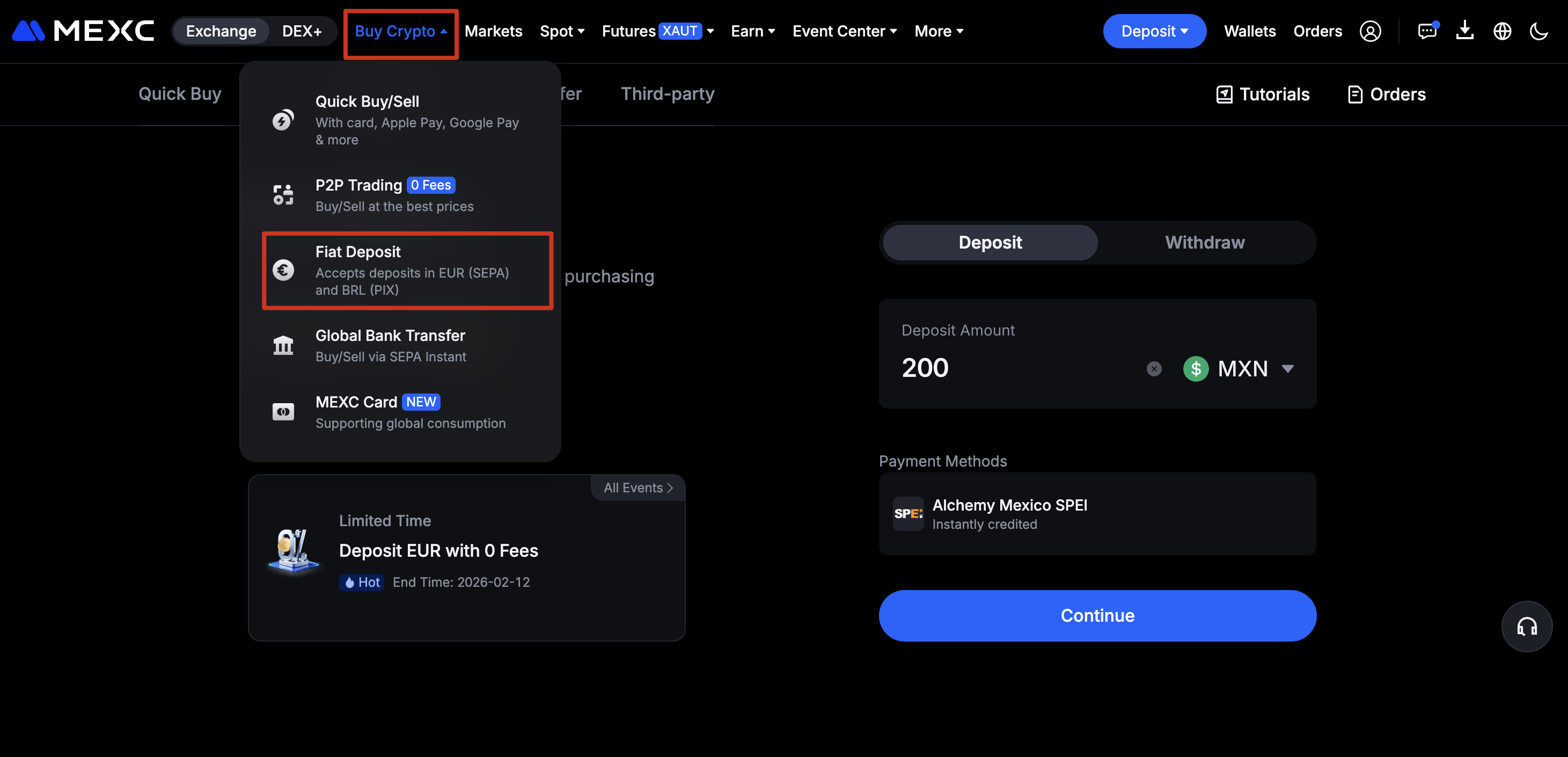
Step 2: Enter Deposit Details
1)Select MXN as your fiat currency
2)Enter the amount you wish to deposit
3)Choose Alchemy Mexico SPEI as the payment method
Note: The final fiat amount credited to your MEXC account will be based on the actual amount transferred.
Step 3: Submit Required Information
You may be required to provide the following information: CURP
Step 4: Confirm Your Order
Verify all payment and order details before proceeding.
Step 5: Complete the Payment
When making a deposit, please use a bank account with the same name as your account. If the name on the bank account used for payment differs from your account name, the deposit will fail.
After completing the bank transfer, click I've Paid.
Step 6 Processing
The payment will be processed automatically after you mark the order as paid. The order is expected to be completed within a few seconds.
Step 7: View Your Transaction
Once the deposit is completed, the funds will be credited to your Fiat Wallet, and you can purchase cryptocurrencies using your fiat balance anytime.
Go to Wallets→ Fiat to view all your Fiat deposit/withdrawal transactions.
Important Notes
This service is only available to KYC-verified users in Mexico.
Fiat Deposit Limits:
- Per-transaction limit: MXN 8 – 10,000,000
- Daily maximum: Up to the equivalent of USD 20,000 in MXN
Deposit Instructions
- Ensure that the bank account used for deposits matches the name on your KYC verification.
- The final deposit amount will be credited to your MEXC account based on the transfer amount.
If you have any questions, feel free to submit an OTC ticket for consultation.
Latam Deposit Guidance: