Buy Crypto
Markets
Spot
FuturesBTC
Earn
Event Center
Rewards Hub
More
How to Use a RealStocks Live Market Pass and FAQHow to Use a RealStocks Live Market Pass and FAQ
Category List
Cancel

How to Use a RealStocks Live Market Pass and FAQ

Overview:

  • A RealStocks live market pass is a market data access pass offered by MEXC. Once it takes effect, users can view real-time US stock quotes, latest trade prices, bid and ask data, and other market information during its validity period.
  • Users can receive a free RealStocks live market pass simply by transferring 100 USDT to their RealStocks account. The pass is issued automatically and takes effect immediately after the transfer, with no additional activation required.
  • Users can also access the Quotes Store through the MEXC App and purchase a live market pass that suits their trading needs.
  • Live market pass validity is calculated by calendar month. Active market data access and the remaining validity period can be viewed on the My Quotes page. If a user holds multiple passes, the system prioritizes the higher-level access.

1. RealStocks Live Market Pass Basics


1.1 What is a live market pass?


A live market pass is a market data access pass offered by MEXC. Once users hold a valid pass, they can view real-time US stock market data, including the latest trade prices and bid and ask data, during its validity period. This helps prevent delayed market data from affecting trading decisions.

1.2 Why do I need a live market pass?


By default, the market data available to regular users may be delayed or may require a manual refresh to display the latest prices. With real-time market data access enabled through a live market pass, quotes are pushed automatically in real time, helping users follow market movements more accurately and make better-informed investment decisions.

1.3 What is the difference between Level 1 and Level 2 market data?


Level 1 market data provides basic real-time quotes, including the latest price and the best bid and ask, and is suitable for the everyday needs of most users. Level 2 market data provides greater market depth by displaying multiple bid and ask levels. It is better suited to frequent traders and users who need more detailed order book data. Users can select the appropriate pass level based on their trading habits.

2. How to Get a RealStocks Live Market Pass


2.1 How can I get a free RealStocks live market pass?


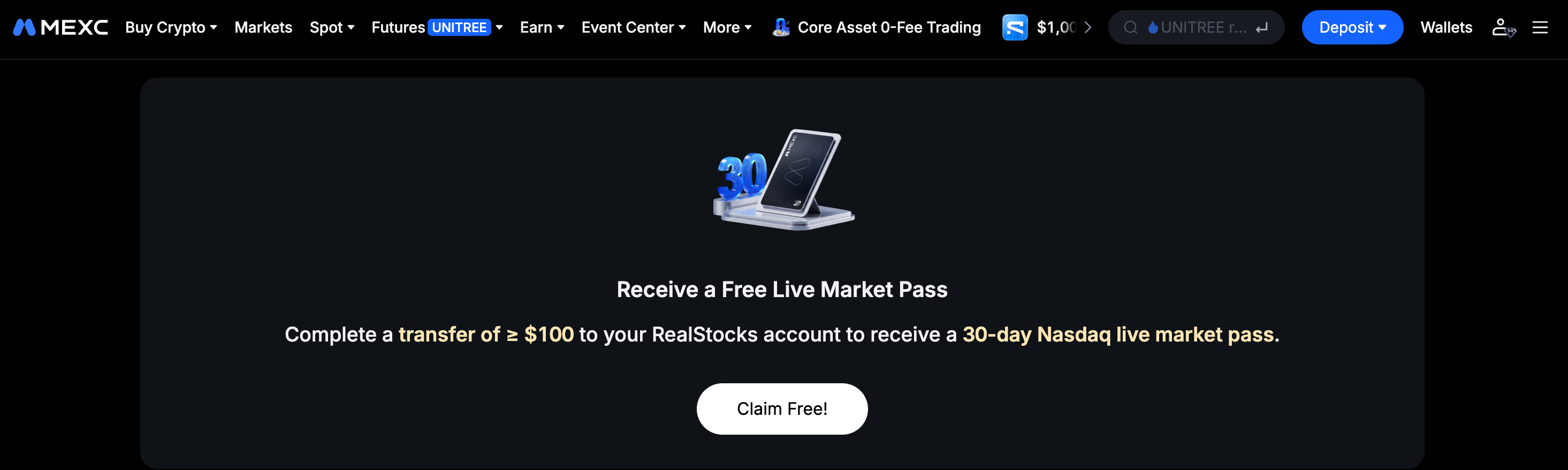
MEXC is currently running a live market pass giveaway. To participate, simply transfer 100 USDT to your RealStocks account to receive a 30-day RealStocks live market pass. Once the transfer is complete, the pass will be issued to your account automatically, with no additional application required.

Before participating, make sure your account has sufficient assets and complete the transfer as instructed on the platform. If the event rules are adjusted, please refer to the latest MEXC announcement.


2.2 Can I purchase a live market pass?


Yes. In addition to receiving a pass through the event, users can purchase one from the Quotes Store based on their needs. Follow this path:

MEXC App → Trade → RealStocks → Me → My Quotes → Store. Browse and filter the available live market pass types, then confirm the price and validity period to complete your purchase.


2.3 What should I note when purchasing a live market pass?


A live market pass is generally valid for a calendar month. Before purchasing, read the product description carefully and confirm the market data level, price, validity period, and other details. Select a package that matches your trading frequency to avoid leaving the pass unused after purchase.

3. Viewing and Activating a Live Market Pass


3.1 Where can I view my live market pass?


After the pass is issued, follow the path below to view your active market data access:

MEXC App → Trade → RealStocks → Me → My Quotes → US Under Activated, you can view your currently active live market pass and its remaining validity period.


3.2 Does a live market pass need to be activated? How do I activate it?


No. Once you receive a live market pass through the event, your market data access takes effect immediately.

3.3 Does a live market pass have a validity period?


Yes. A live market pass is generally valid for a calendar month.

3.4 What happens if I hold multiple live market passes?


If a user holds multiple live market passes of different levels, the system generally prioritizes the higher-level market data access to provide the best available market data experience.

4. Troubleshooting and Common Issues


4.1 What should I do if market data does not update after I receive a live market pass?


First, log out of your account and log back in. The system will refresh your market data access automatically, which resolves the issue in most cases. If the market data still does not update after you log back in, contact MEXC Customer Service for assistance.

4.2 What should I do if I do not receive a live market pass after the transfer?


First, confirm that the transferred amount meets the event requirement of 100 USDT and that the funds have been credited successfully to your RealStocks account. Once confirmed, go to the My Quotes page to check the status of your live market pass. If you still have not received it after an extended period, contact MEXC Customer Service for verification and assistance.

The RealStocks live market pass is an important value-added market data service offered by MEXC. Whether users receive a free pass through the transfer event or purchase one from the Quotes Store, it provides access to real-time, in-depth market data at a lower cost. Users are advised to monitor the pass validity period and make full use of their access.


How to Use a RealStocks Live Market Pass and FAQ

Overview:

  • A RealStocks live market pass is a market data access pass offered by MEXC. Once it takes effect, users can view real-time US stock quotes, latest trade prices, bid and ask data, and other market information during its validity period.
  • Users can receive a free RealStocks live market pass simply by transferring 100 USDT to their RealStocks account. The pass is issued automatically and takes effect immediately after the transfer, with no additional activation required.
  • Users can also access the Quotes Store through the MEXC App and purchase a live market pass that suits their trading needs.
  • Live market pass validity is calculated by calendar month. Active market data access and the remaining validity period can be viewed on the My Quotes page. If a user holds multiple passes, the system prioritizes the higher-level access.

1. RealStocks Live Market Pass Basics


1.1 What is a live market pass?


A live market pass is a market data access pass offered by MEXC. Once users hold a valid pass, they can view real-time US stock market data, including the latest trade prices and bid and ask data, during its validity period. This helps prevent delayed market data from affecting trading decisions.

1.2 Why do I need a live market pass?


By default, the market data available to regular users may be delayed or may require a manual refresh to display the latest prices. With real-time market data access enabled through a live market pass, quotes are pushed automatically in real time, helping users follow market movements more accurately and make better-informed investment decisions.

1.3 What is the difference between Level 1 and Level 2 market data?


Level 1 market data provides basic real-time quotes, including the latest price and the best bid and ask, and is suitable for the everyday needs of most users. Level 2 market data provides greater market depth by displaying multiple bid and ask levels. It is better suited to frequent traders and users who need more detailed order book data. Users can select the appropriate pass level based on their trading habits.

2. How to Get a RealStocks Live Market Pass


2.1 How can I get a free RealStocks live market pass?


MEXC is currently running a live market pass giveaway. To participate, simply transfer 100 USDT to your RealStocks account to receive a 30-day RealStocks live market pass. Once the transfer is complete, the pass will be issued to your account automatically, with no additional application required.

Before participating, make sure your account has sufficient assets and complete the transfer as instructed on the platform. If the event rules are adjusted, please refer to the latest MEXC announcement.


2.2 Can I purchase a live market pass?


Yes. In addition to receiving a pass through the event, users can purchase one from the Quotes Store based on their needs. Follow this path:

MEXC App → Trade → RealStocks → Me → My Quotes → Store. Browse and filter the available live market pass types, then confirm the price and validity period to complete your purchase.


2.3 What should I note when purchasing a live market pass?


A live market pass is generally valid for a calendar month. Before purchasing, read the product description carefully and confirm the market data level, price, validity period, and other details. Select a package that matches your trading frequency to avoid leaving the pass unused after purchase.

3. Viewing and Activating a Live Market Pass


3.1 Where can I view my live market pass?


After the pass is issued, follow the path below to view your active market data access:

MEXC App → Trade → RealStocks → Me → My Quotes → US Under Activated, you can view your currently active live market pass and its remaining validity period.


3.2 Does a live market pass need to be activated? How do I activate it?


No. Once you receive a live market pass through the event, your market data access takes effect immediately.

3.3 Does a live market pass have a validity period?


Yes. A live market pass is generally valid for a calendar month.

3.4 What happens if I hold multiple live market passes?


If a user holds multiple live market passes of different levels, the system generally prioritizes the higher-level market data access to provide the best available market data experience.

4. Troubleshooting and Common Issues


4.1 What should I do if market data does not update after I receive a live market pass?


First, log out of your account and log back in. The system will refresh your market data access automatically, which resolves the issue in most cases. If the market data still does not update after you log back in, contact MEXC Customer Service for assistance.

4.2 What should I do if I do not receive a live market pass after the transfer?


First, confirm that the transferred amount meets the event requirement of 100 USDT and that the funds have been credited successfully to your RealStocks account. Once confirmed, go to the My Quotes page to check the status of your live market pass. If you still have not received it after an extended period, contact MEXC Customer Service for verification and assistance.

The RealStocks live market pass is an important value-added market data service offered by MEXC. Whether users receive a free pass through the transfer event or purchase one from the Quotes Store, it provides access to real-time, in-depth market data at a lower cost. Users are advised to monitor the pass validity period and make full use of their access.